
 Types of Service Statuses
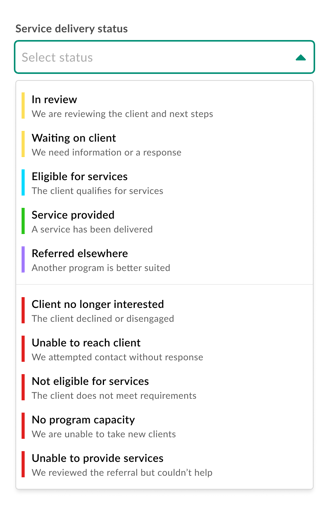
Every new client, referral, and check-in now includes a standardized set of Service Status options that map back to the statuses available on Findhelp.
Where to Update Service Statuses
1. Referrals
-
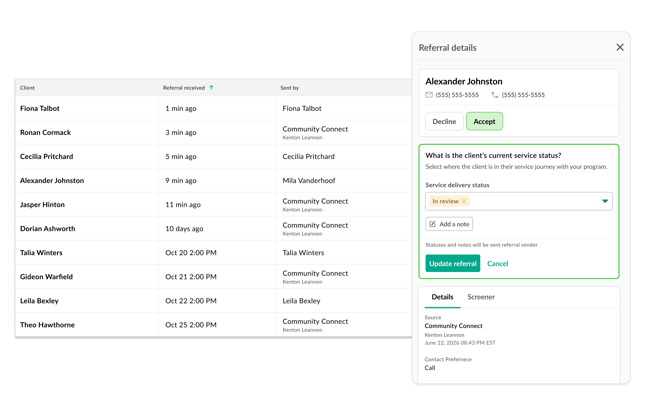
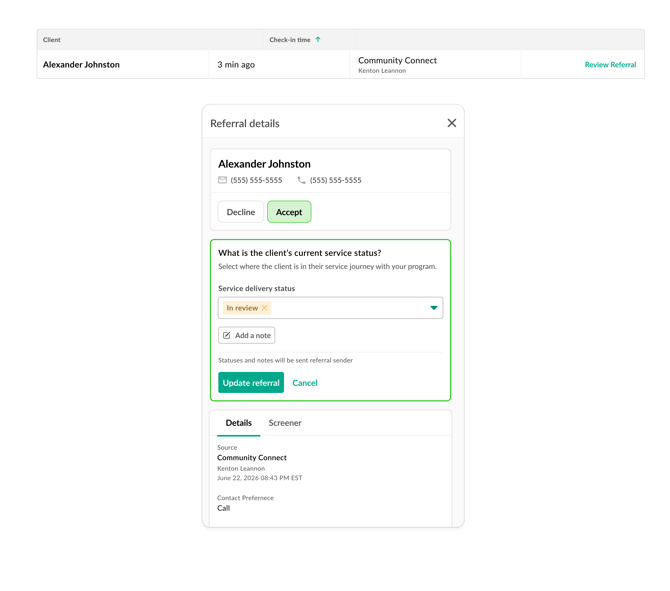
From the Client Directory, click 'Review Referral' on the client row
-
Choose to Decline or Accept the referral
- Select a 'Service delivery status' and 'Update referral' to save
2. Check-ins
-
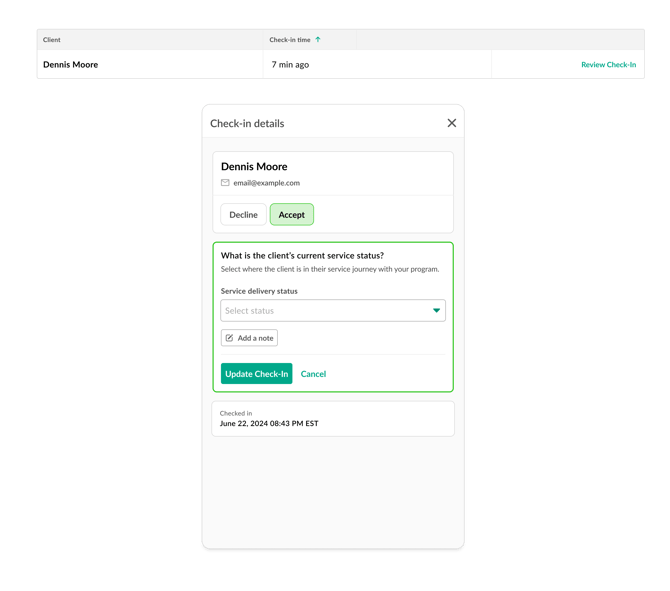
From the Check-in tab, click 'Review Check-in' on the client row
-
Choose to Decline or Accept the client
- Select a 'Service delivery status' and 'Update Check-In' to save
When you review a new referral or check-in, you'll now choose a Service Status for the client.
These statuses are:
- Service-focused (not just referral-focused): They show the actual work and support being provided.
- Mapped to Findhelp: Each status connects directly to an existing Findhelp referral status.
- Automatically logged: Every status you choose is saved for tracking and reporting.
Note: Some statuses will prompt you to choose a specific service or add a delivery date.
3. Case Notes
We've upgraded the former 'Service Provided' note into a more flexible Service Status case note. This is now your main tool for updating a client's progress at any point in their journey.
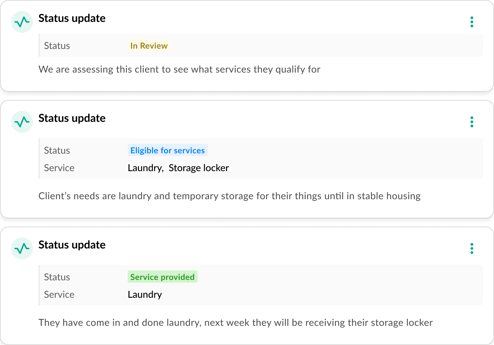
What to expect:
-
Flexible updates: Record any delivery status or log specific services whenever something changes.
-
Automatic syncing: If a client comes from a Findhelp referral, updating the Service Status case note will automatically sync the status back to the referring platform.
Why Use the New Status Tracking?
- Aligned with Findhelp: Kiip now maps to every referral status used in Findhelp, so updates stay consistent across systems and networks.
- End-to-end visibility: Statuses follow the client through their full service journey, not just the initial referral.
- Reliable audit trail: Every status update is automatically logged, improving transparency and oversight.
- Stronger program insights: Programs get clearer reporting and accountability, making it easier to measure impact and improve services.